


### Blog Post:
Smart home hub setup is now at the heart of every future-ready, connected household. If you want seamless automation, unified control, and flexibility no matter which brands or devices you use, understanding the essentials of modern hub setups—and the new realities of the market—will save you time, money, and regret down the line.
Key Takeaways
- Smart home hub setup is becoming more affordable and future-proofed, but device interoperability and legacy support are realistic issues to plan for.
- Choosing a multi-protocol hub (Zigbee, Z-Wave, Wi-Fi, Bluetooth, Matter/Thread) is non-negotiable if you want hassle-free, cross-brand routines.
- Edge-AI, privacy-first features, and energy integrations (like dynamic pricing or virtual power plant controls) are not just buzzwords—they’re mainstream in 2026.
- Understanding Smart Home Hub Setup: What & Why
- Step-by-Step Guide: Setting Up a Smart Home Hub in 2026
- Advanced Analysis & Common Pitfalls
- Conclusion
- FAQ
Understanding Smart Home Hub Setup: What & Why
A smart home hub setup connects, manages, and automates all your compatible home devices—lighting, climate, security, appliances, EV chargers, and more—through a single interface. In 2026, hubs are more ecosystem-agnostic than ever. They support protocols like Zigbee, Z-Wave, Wi-Fi, Thread, and the increasingly standard Matter, with many featuring built-in AI for faster local processing and enhanced privacy.

The explosion of the market confirms it: The smart home hub segment is forecast to reach up to USD 226.39 billion by 2026, driven by demand for platform/ecosystem hubs with voice assistant integration. Adopters want simplicity—the ability to control Philips Hue bulbs, a Samsung fridge, a Google Nest thermostat, and new Matter sensors all from one hub or app.
But it’s not just about convenience. Properly configured, automation saves real money on energy (see our tips on heat pump water heater upgrades), increases safety, and makes aging in place practical. With smart panels and home battery systems (explained here), your hub becomes command central for real efficiency.
Step-by-Step Guide: Setting Up a Smart Home Hub in 2026
A successful smart home hub setup is less about flashy gadgets and more about a thoughtful plan. Here’s how savvy homeowners and pros are doing it for maximum reliability—and minimum frustration.
- Choose the right hub platform. If you want voice and major ecosystem flexibility, consider Amazon Echo for Alexa, Google Home for Google Assistant, Apple HomePod for Siri, or Samsung SmartThings for broadest device integrations. Multi-protocol is a must for future-proofing—look for hubs with Wi-Fi, Matter/Thread, Zigbee, Z-Wave, and Bluetooth LE.
- Place your hub wisely. Central placement avoids signal dead zones. Place your hub away from thick walls, metal appliances, or microwave ovens. If your home is large, consider mesh Wi-Fi or additional hubs (if supported) to extend coverage.
- Connect your network and enable security. Use a private, dedicated IoT Wi-Fi network for smart devices. Enable WPA3 security, and keep your router’s firmware updated. If using a cloud-based hub, secure the account with two-factor authentication.
- Pair devices one at a time. Add devices using official apps (or Matter’s QR-code onboarding, if available). For each type—lights, locks, sensors—test operation and automations as you go, rather than dumping everything in at once. This makes troubleshooting dramatically easier.
- Set up automation routines and scenes. Start simple: “All Off” at bedtime, geofenced “Welcome Home,” or “Night Mode” for locking down. Expand into advanced routines—energy optimization (coordinate with your battery storage or EV charger), occupancy-based HVAC, or secure vacation modes.
- Integrate voice control and AI features. Link chosen voice assistants and test out basic commands. Use privacy-minded Edge-AI settings, when available, to keep data local and reduce lag (<100ms is the new normal on premium hubs).
- Review device compatibility and firmware updates. Schedule regular checks for firmware updates to your hub and devices. Stay on top of new updates for Matter, security, and compatibility patches. Don’t forget to back up your hub’s configuration if it allows.
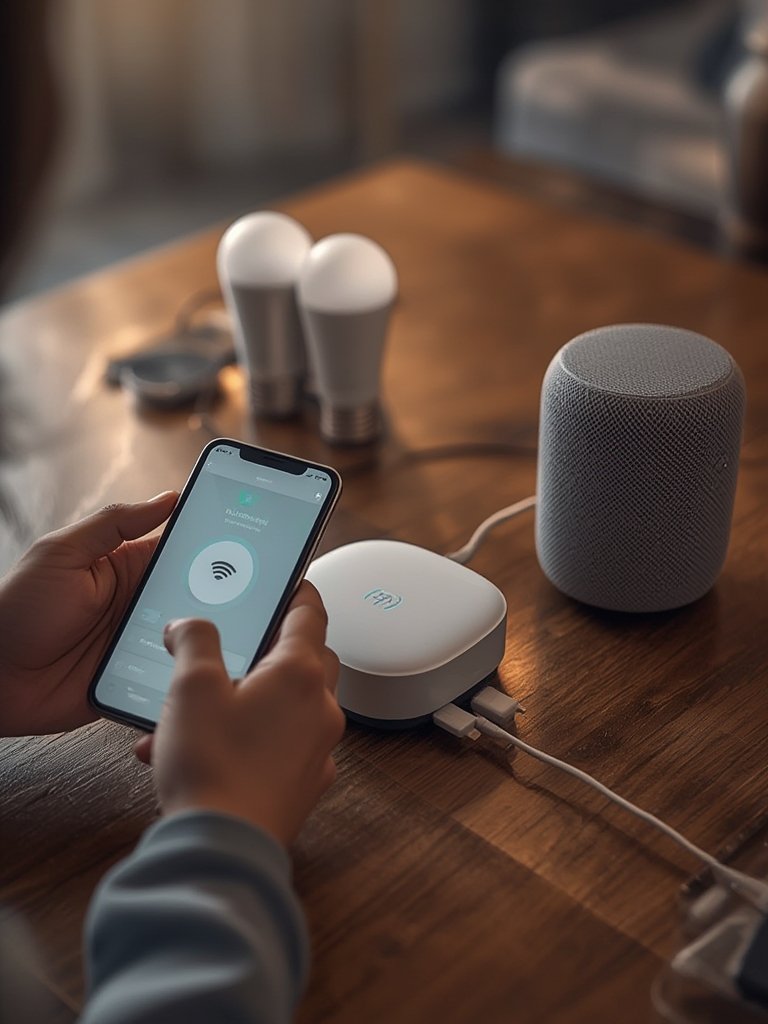
You can also maximize the value of your smart home setup by integrating energy-saving appliances and charging tech—see our practical guide to home EV charger installation, or upgrade your home’s backbone with a smart electrical panel for instant visibility into whole-house loads.
Advanced Analysis & Common Pitfalls
Even if you buy the “best” smart home hub, there are real-world problems to watch for. Compatibility challenges, frequent firmware update headaches, network instability, and gaps in Matter or Thread support still catch even experienced users off guard.
Common Pitfalls:
- Device compatibility gaps: Legacy Z-Wave or Zigbee sensors may require bridges, while some Wi-Fi-only devices still lack true Matter support.
- Routine and automation breakdowns: Cross-brand routines (like controlling Philips bulbs and Ecobee thermostats in one scene) may not work smoothly without advanced configuration.
- Privacy blind spots: Not all hubs default to Edge-AI processing. Review where your voice data and routines are processed—cloud versus local matters for privacy and latency.
- Security quirks: Cheap hubs often lag on security patches and may expose your network, especially if you skip routine firmware updates on each device.
- Subscription creep: Many hubs bundle extra services (cloud storage, premium automations, video analytics) that tack on $3-$15 monthly. Review all subscriptions—especially relevant for energy and security extras.
Based on leading market research (Mordor Intelligence), here’s how the top hubs compare at a glance:
| Hub Brand | Protocols | Native Voice Assistant | Matter/Thread Support | Edge-AI/Privacy |
|---|---|---|---|---|
| Amazon Echo | Wi-Fi, Zigbee, Matter, Thread (select models) | Alexa | Yes/Yes | Increasing |
| Google Home | Wi-Fi, Thread, Bluetooth, Matter | Google Assistant | Yes/Yes | Selective |
| Apple HomePod | Wi-Fi, Thread, Bluetooth, Matter | Siri | Yes/Yes | Local default |
| Samsung SmartThings | Wi-Fi, Zigbee, Z-Wave, Matter, Thread (hub module) | Bixby (plus Alexa/Google integration) | Yes/Yes* | Improving |
| Home Assistant (DIY) | Wi-Fi, Zigbee, Z-Wave, Thread, Matter, more (via add-ons) | Custom/Integration | Yes/Yes | Max (local-first architecture) |
*Matter/Thread support may require a separate dongle or hub device for Samsung.
For even more automation, you might pair your hub with other future-facing upgrades—consider prepping for outages with a whole home generator or boost comfort and savings by tackling your water heater or induction cooktop next.

Conclusion
A reliable smart home hub setup is more possible than ever, but real-world success is about protocol support, automation planning, careful device onboarding, and ongoing privacy diligence. By following these steps, you create a platform that handles today’s devices—and whatever comes next. If you want real control over energy, comfort, and security, rethink your smart home hub setup and put interoperability first. Ready to take the next step? Start your setup now and enjoy smarter, safer living.
FAQ
What’s the difference between Zigbee, Z-Wave, Thread, and Matter?
Zigbee and Z-Wave are older wireless standards for smart devices. Thread is newer, offering faster, low-power mesh networking. Matter is the bridge standard, designed to let devices on all these protocols talk to each other reliably, regardless of brand.
Do I still need a hub if all my smart devices work with Wi-Fi or Alexa?
A hub isn’t required for basic Wi-Fi or Alexa control, but it’s essential for reliable multi-device routines, offline operation, legacy device integration, advanced automation, and keeping automation local for better privacy.
How do I add old smart devices to a new Matter hub?
Use a hub with “bridge” support—SmartThings, Home Assistant, or similar. These let you group and control legacy Zigbee or Z-Wave devices via the hub, even if they don’t speak Matter directly.
Are there hidden subscription costs in most hub setups?
Yes, extra features like cloud storage for cameras, expanded routines, or advanced AI analytics often have monthly fees. Always review included versus optional services before buying a new hub.
Can a smart home hub help save energy?
Definitely. By automating lights, adjusting smart thermostats, running appliances during low-rate hours, or coordinating with smart panels and batteries, a hub can cut power costs—especially when aligned with energy upgrades like heat pump water heaters or home EV chargers.